

In today’s connected world, understanding how to protect your digital privacy has become more important than ever. Every search, download, login, and social media interaction leaves behind a trail of personal data. While technology makes life convenient, it also increases exposure to potential risks if basic precautions are not taken.
The good news is that protecting your digital privacy does not require advanced technical skills. Small, consistent steps such as managing passwords, reviewing app permissions, and being cautious with public networks can significantly reduce online vulnerabilities. This guide explains practical actions you can start implementing immediately to strengthen your digital safety.
Why Digital Privacy Matters More Than Ever
Digital privacy is no longer a technical issue limited to IT professionals or large corporations. It has become a personal responsibility for anyone who uses a smartphone, computer, or connected device. From online shopping and banking to social media and work communication, a significant portion of daily life now happens in digital spaces.
Every interaction online creates data. Search queries, location history, browsing patterns, purchases, and even the time spent viewing certain content are collected and stored in various systems. While much of this data collection supports convenience and personalization, it also increases exposure to risks such as identity theft, financial fraud, targeted scams, and unauthorized tracking.
Data breaches have become more common in recent years, affecting millions of users at once. When personal information such as email addresses, passwords, phone numbers, or financial details is compromised, the consequences can extend far beyond a single platform. Stolen data can circulate across multiple networks, making long-term digital security more difficult.
Beyond criminal activity, digital privacy also concerns how much personal information is voluntarily shared without awareness. Many apps request access to contacts, cameras, microphones, and location services. Without reviewing permissions, users may unintentionally provide access far beyond what is necessary.
Protecting digital privacy today is not about avoiding technology. It is about using technology responsibly. Awareness, cautious behavior, and simple protective measures can significantly reduce risk while still enjoying the benefits of a connected world.
Understanding Your Digital Footprint
 Before learning how to protect your digital privacy, it is important to understand what a digital footprint actually is. In simple terms, your digital footprint is the trail of data you leave behind every time you use the internet. Whether intentional or not, every online action contributes to this record.
There are two main types of digital footprints: active and passive.
An active digital footprint is information you knowingly share. This includes social media posts, comments, uploaded photos, emails, online form submissions, and public profiles. When you create content or share personal opinions online, you are actively contributing to your digital identity.
A passive digital footprint, on the other hand, is created without direct awareness. Websites track browsing behavior through cookies. Apps collect location data. Search engines record queries. Even the device you use and the time you spend on a webpage can be stored for analytics or advertising purposes.
Over time, this data builds a detailed profile of your interests, habits, preferences, and routines. While much of this data collection is used for personalization and convenience, it can also become a risk if accessed by unauthorized parties or misused.
Understanding your digital footprint is the first step toward protecting it. When you become aware that every interaction contributes to a larger data profile, you start making more intentional choices from what you share publicly to which platforms you trust with your personal information.
Protecting digital privacy begins with awareness. Once you understand your footprint, you can begin controlling it more effectively.
Strengthening Passwords and Using Password Managers
Weak passwords remain one of the most common entry points for cyberattacks. Even with advanced security systems, a simple, predictable password can make accounts vulnerable. Many people still reuse the same password across multiple websites, which significantly increases risk. If one platform experiences a data breach, attackers can attempt to access other accounts using the same credentials.
A strong password should be long, unique, and difficult to guess. Instead of short combinations or personal details like birthdates, stronger passwords use a mix of uppercase and lowercase letters, numbers, and special characters. Length is especially important a longer passphrase such as a random sentence can be far more secure than a short complex string.
However, remembering dozens of strong and unique passwords is nearly impossible. This is where password managers become useful. A password manager securely stores login credentials in encrypted form and generates complex passwords for new accounts. Instead of memorizing everything, you only need to remember one strong master password.
Using a reputable password manager reduces the temptation to reuse passwords and helps maintain digital privacy across platforms. Combined with other security measures like two-factor authentication, this approach significantly strengthens online account protection.
Improving password habits may seem small, but it is one of the most effective foundational steps in learning how to protect your digital privacy.
The Importance of Two-Factor Authentication (2FA)
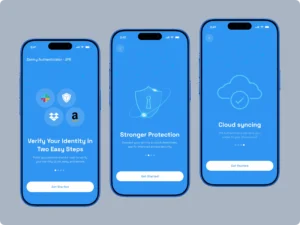 Even the strongest password cannot offer complete protection on its own. Data breaches, phishing attacks, and credential leaks can still expose login information. This is where two-factor authentication (2FA) becomes a critical layer of defense in protecting your digital privacy.
Two-factor authentication adds a second step to the login process. After entering your password, you must verify your identity through an additional method. This could include:
A one-time code sent to your phone
An authentication app generating temporary codes
A hardware security key
Biometric verification such as fingerprint or facial recognition
By requiring something you have (your device) or something you are (biometrics), 2FA reduces the risk of unauthorized access even if your password is compromised.
Among the available options, authentication apps are generally considered more secure than SMS codes, as text messages can sometimes be intercepted. Hardware security keys offer even stronger protection for sensitive accounts.
Enabling two-factor authentication on important accounts such as email, banking, cloud storage, and social media significantly strengthens your overall digital security posture. Email accounts are especially important to protect, as they are often used to reset passwords for other services.
Adding this extra layer may take a few minutes during setup, but it dramatically reduces risk long term. In the process of learning how to protect your digital privacy, enabling 2FA is one of the simplest and most effective steps you can take.
Public Wi-Fi Risks and How to Stay Safe
 Public Wi-Fi networks are convenient, especially in cafés, airports, hotels, and shopping centers. However, they also present significant security risks if used carelessly. Unlike private home networks, public Wi-Fi connections are typically unsecured or shared among many unknown users, making them attractive targets for cybercriminals.
One common threat on public networks is data interception. Attackers can sometimes monitor unencrypted traffic and capture sensitive information such as login credentials, emails, or browsing activity. Another risk involves fake or “rogue” Wi-Fi networks that mimic legitimate ones. Unsuspecting users may connect to these networks, unknowingly giving attackers access to their data.
To reduce risk while using public Wi-Fi:
Avoid accessing banking or sensitive financial accounts.
Do not enter passwords on unfamiliar websites.
Ensure websites use HTTPS (look for the lock symbol in the browser).
Turn off automatic Wi-Fi connections on your device.
Log out of accounts after use.
For added protection, consider using a reputable Virtual Private Network (VPN). A VPN encrypts your internet traffic, making it more difficult for third parties to intercept your data on shared networks.
Public Wi-Fi does not need to be avoided completely, but it should be used cautiously. When learning how to protect your digital privacy, understanding network risks and adopting safe browsing habits is essential especially outside your home environment.
Conclusion: Digital Privacy Is a Daily Habit
Learning how to protect your digital privacy is not about becoming overly cautious or avoiding technology altogether. It is about building awareness and adopting small, consistent habits that reduce unnecessary risk.
From strengthening passwords and enabling two-factor authentication to reviewing app permissions and being cautious on public Wi-Fi, the steps discussed in this guide are practical and achievable. None of them require advanced technical knowledge only attention and consistency.
Digital privacy is not protected in a single action. It is maintained through routine decisions: what you share, where you log in, which permissions you approve, and how carefully you handle sensitive information. As online activity continues to expand in everyday life, these habits become even more important.
You cannot eliminate all risk in a connected world, but you can significantly lower exposure. Protecting your digital privacy is ultimately about control understanding your footprint and taking responsibility for safeguarding it.
Cybersecurity frameworks from institutions such as the National Institute of Standards and Technology emphasize layered protection and consistent digital hygiene.
Read more match previews and analysis in our Cricket section.
Read more perspectives and deep dives in our Insights section.
Read more health tips and wellness information on our Health section.
Explore more daily hacks for everyday life in our Daily Hacks section.
Read more lifestyle stories in our Lifestyle section.